Multi-Tabling One of the great aspects of playing online is that it is so easy to play several games simultaneously. With poker being a game of patience, playing several tables is a great way to ensure that good hands and adrenaline-rushed action is always just around the corner.
At any time while playing you can always pop by the lobby and start up to a maximum of 12 tables by clicking on them. Quick Guide to Setting Up Multiple Tables The most important options to consider when playing multiple tables is whether to play in Standard Mode or Full Screen Mode. And whether to peruse an option called “Pop-up table on action” or not. Full Screen Mode is toggled off/on under Game Options/Preferences/Table. Pop-up Table on Action is toggled on/off under Game Options/Preferences/Gameplay. Standard / Full Screen Mode Standard - When in Standard Mode each new table you click on will open up in a separate window on your tool bar. This means that you can easily keep track of them and user other applications and software while playing! Full Screen - Each table, as well as the lobby, you open in Full Screen Mode is represented by its own tab inside the poker software client. This allows you to focus 100% on playing poker and enjoy all of your tables at maximum size! Pop-Up Table Upon Action / Fixed Tabs Pop-up table - With this option toggled on, whenever it is your turn on any of your multiple tables, that table will pop to the front! This means that you will never miss out on your turn! Perfect if you use Standard Mode and offset the tables to avoid accidentally folding on the wrong table. Fixed tabs - With pop-up table on action toggled off, you will be notified of your turn by the specific tabs flashing when it is your turn to act. This option is bets suited for the Full Screen Mode since you are unlikely to be caught up in something else and since tables in Full Screen Mode cannot, by definition, be offset. Short-Cut KeysAnother unique feature on pokerroom is the ability to use short-cut keys to (F1) Fold (F2) Call/Check and (F3) Bet/Raise. Together with the option to Pop-up Table on Action, these short-cut keys will allow you to command one or several games using only your keyboard! Player Notes  A vital factor in becoming a successful cash game player is the ability to read your opponents – to be able to foresee what they are likely to do. And here at pokerroom you have one of the most powerful tools to help you store hints on your opponents’ habits and style of play at your disposal! Through our unique colour-code based player note system you can not only write and keep notes on your fellow players, but you can also easily categorize them through a customizable ranking system based on colours. You could for example choose to let the colour black represent really skilled players while red indicates very weak player. By simply tagging any given player with one of these colours, you can then more easily locate the best tables for you to play on! Statistics With poker being a game of skill, nothing will help your cash game along like investing some time going through your own hand histories and stats. This will help you identify your strong points and also reveal your weaknesses. Hand Histories At any time while playing you can click on the hand history number in the upper right hand corner of the table view. Doing so will provide you with a text-based overview of the hand just played. Reviewing hand histories is a great way to learn more about different strategies and playing styles. Session Browser 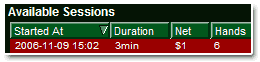 Through the Session Browser located in the poker client under Statistics you can browse through all your cash game hand histories, review the outcome of them and also get some cool overall stats of each session! Through the Session Browser located in the poker client under Statistics you can browse through all your cash game hand histories, review the outcome of them and also get some cool overall stats of each session! Do note that in order for the Session Browser to register the hands you play you must first check the "Enable Statistics" option in the Statistics menu inside the poker client. Responsible GamingWe are proud to say that we take responsible gaming seriously. Through our collaboration with the Harvard Medical School we have developed several features that will allow you to control and limit your gaming activity should you wish or feel the need to do so. Anti-Collusion SystemOur state-of-the-art anti-collusion systems are continuously analyzing hand histories in our secure database and searching for suspicious playing patterns. Any player that attempts to collude at pokerroom will be permanently banned from our games. If in the unlikely event you are affected by a confirmed collusion, you will be reimbursed. |






